In this detailed YoloCam S7 review, I’m taking a deep dive into what could be the ultimate 4K webcam for streaming. If you’re tired of using a bulky mirrorless camera as a webcam and dealing with overheating, capture cards, and complicated setups, this dedicated streaming camera promises mirrorless-quality video with plug-and-play simplicity.
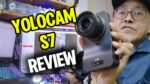 For a long time, creators have been stuck choosing between a convenient but low-quality webcam and a high-quality but frustrating dedicated camera rig. The YoloCam S7 aims to fix that. I’ve been testing this professional webcam for weeks to see if it lives up to the hype for live streaming, webinars, and serious content creation. Here’s my honest breakdown.
(Just a quick heads-up: Some of the links below are affiliate links, which means I may earn a small commission if you buy something. It costs you nothing extra and helps support my content!)
Watch on YouTube… https://youtu.be/MFELgzen-bk
Who is the YoloCam S7 Actually For?
Right away, let’s be clear about who will get the most out of this camera. The YoloCam S7 is a perfect fit if you are:
- A live streamer or content creator who needs reliable, high-quality video for hours on end.
- A live seller or TikTok streamer who wants to stand out with a professional image.
- Anyone hosting webinars or online courses who is tired of a fuzzy, standard webcam.
If you just need a simple camera for occasional Zoom calls with family, this is probably overkill. But if your video quality is part of your brand, keep reading.
First Impressions & Key Features
Unlike most webcams that feel like plastic toys, the S7’s body is made of metal and designed with heat dissipators. This isn’t just for looks; it’s built to run 24/7 without overheating—a common issue with mirrorless cameras during long streams.
Here are the key features that stand out:
- Large Micro Four Thirds Sensor: The Sony sensor inside is much bigger than what’s in typical webcams, which means sharper images and much better performance in low light.
- Interchangeable Lens Mount: This is a game-changer. You can use a variety of professional Micro Four Thirds lenses to get the exact look you want. I chose the Lumix 15mm lens for a wider field of view.
- True Plug-and-Play (Almost): It connects via USB-C and HDMI and works instantly with OBS, TikTok Live Studio, and other software without needing extra drivers or a capture card.
- Designed for Streaming: It’s built from the ground up for creators, supporting frame rates up to 60fps and both horizontal and vertical video.
Setting It Up: A Quick Walkthrough
Getting started is refreshingly simple.
- Power Up: Connect the camera to a power source using the included USB-C power adapter.
- Connect to Computer: Use the second USB-C cable to connect the camera’s data port to your computer.
- Launch Your Software: Open up OBS (or your streaming app of choice) and add a new “Video Capture Device.” The camera appears as “Y-cam,” ready to go.
That’s it. There were no drivers to install or complicated settings to fight with.
The Most Important Part: Image Quality
So, can it actually deliver mirrorless-quality video? In short, yes.
The detail from the 4K resolution and the larger sensor is immediately noticeable. The image is crisp and clean in a way that standard webcams just can’t match.
The autofocus is fast and accurate, smoothly tracking my product without any distracting hunting. The real magic, though, is the shallow depth of field. Because you can use a professional lens with a wide aperture, you can get that beautiful, blurry background (bokeh) that makes you pop from the screen.
Even in a dimly lit room, the S7 holds up incredibly well. Pushing the ISO up in the companion app results in a very respectable and clean image, free of the grainy noise that plagues smaller-sensor webcams.
Taking Control with the YoloLiv Compose App
If you want to fine-tune your image, the free YoloLiv Compose software gives you pro-level control over the camera. You can adjust everything from focus speed and exposure to detailed white balance and color temperature, all from your desktop. This is perfect for dialing in your signature look.
What About Audio?
The YoloCam S7 does not have a built-in microphone. Honestly, this is a smart move. Most built-in mics are terrible, and serious creators use their own external microphones anyway. The S7 includes a 3.5mm microphone input and a cold shoe mount on top, making it easy to attach your favorite shotgun mic for high-quality audio.
What I Liked vs. What Could Be Better
No product is perfect, so here’s my honest breakdown.
Pros:
- Excellent Image Quality: The 4K detail and large sensor provide a truly professional look.
- Built for Long Streams: The metal body and heat dissipation mean no overheating.
- Interchangeable Lenses: Total creative control over your shot’s field of view and depth of field.
- Simple to Use: No capture card needed, and it works seamlessly with major streaming software.
Cons:
- Lens Sold Separately: This adds to the overall cost, but it also provides flexibility.
- Needs Separate Power: It’s not powered over a single USB-C cable, so you’ll need an extra outlet. This is fine for a studio setup but less ideal for portability.
- USB Output is 1080p: To get the full 4K resolution, you need to use the HDMI output (for example, with a YoloBox or other HDMI device). USB streaming is limited to 1080p.
Final Verdict: Is the YoloCam S7 Worth It?
If you’re a serious streamer, content creator, or online educator, the YoloCam S7 is an outstanding investment. It closes the gap between frustrating, high-end camera rigs and convenient but low-quality webcams.
It gives you the cinematic image quality you want with the reliability and ease of use you need for hours of live content. While you do need to bring your own lens and plug the power into a wall, the performance benefits far outweigh these minor inconveniences for anyone who depends on video for their business or brand.
Ready to upgrade your stream? You can check the latest price for the YoloCam S7 here.
Have any questions about the camera? Drop them in the comments below, and I’ll do my best to answer them!
~ Adrian Lee


Discover more from VIDEOLANE.COM ⏩
Subscribe to get the latest posts sent to your email.


