What inspired me to focus on smartphone filmmaking is how it simplifies the videography process, letting me focus on creativity instead of getting tangled up in complex camera settings. You don’t need a massive, expensive camera setup to start creating amazing content. You just need a few key essentials and some smart techniques.
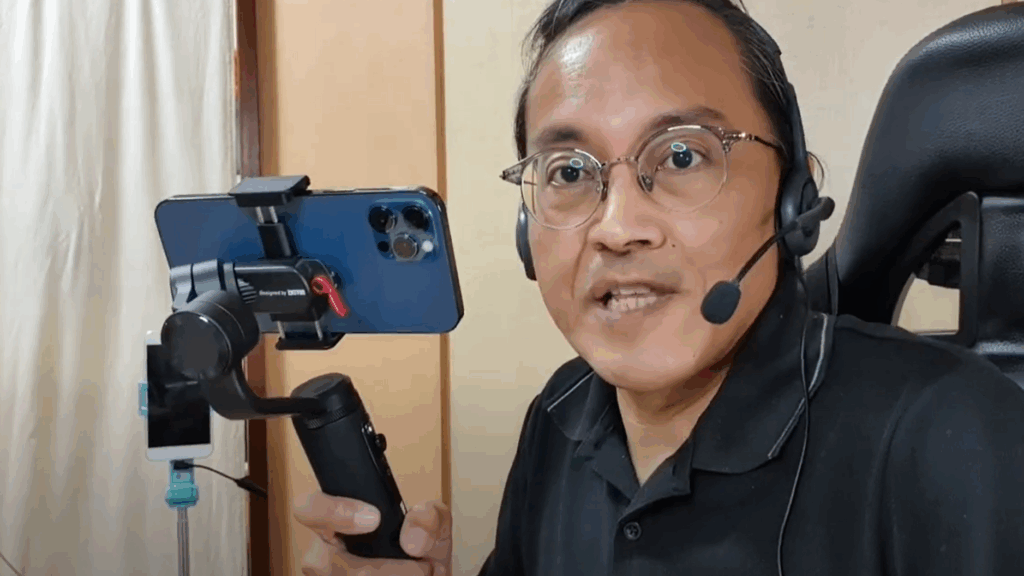
If you’re looking to elevate your smartphone videos, whether for vlogs, tutorials, or just documenting your daily life, here’s what I consider truly essential:
1. Your Smartphone (Obviously!)
This is your main tool. Modern smartphones, especially those from the last few years, have incredible cameras. Don’t worry about having the absolute latest model. Focus on understanding the camera you already have. Many pro techniques I learned from traditional videography can be applied directly to smartphone shooting.
2. Good Audio is Non-Negotiable
Seriously, people will forgive average video quality much faster than bad audio. Clear sound is probably the most overlooked “essential.”
- Built-in Mic: For quick, casual shots in a quiet environment, your phone’s mic is okay.
- External Microphone: If you’re talking directly to the camera, an external microphone is a must. A simple lavalier (lapel) mic that plugs into your phone, or even a small wireless mic system like the K9, can make a massive difference. Think about how much better a clear voice sounds compared to something distant or echoey. Check out my top pick for a reliable smartphone mic: The Hollyland Lark M2S.
3. Lighting is Your Friend
You don’t need a full studio lighting kit.
- Natural Light: The best and cheapest light source! Shoot near a window or outdoors during soft light. Avoid direct harsh midday sun if possible, as it creates strong shadows.
- Simple Ring Light/LED Panel: If natural light isn’t enough, a small, inexpensive ring light or a portable LED panel can illuminate your face beautifully. Position it in front of you, slightly above eye level. Find a great starter light here: The TOFU LED Light.
4. Keep it Steady: Stability Matters
Shaky footage can be distracting.
- Tripod: Even a small, tabletop tripod with a phone mount can make a huge difference for static shots or talking-head videos. It’s one of the simplest ways to instantly improve your video quality. See my favorite compact tripod: The Sandmarc Compact Tripod.
- Gimbal: For smooth, cinematic movement, a smartphone gimbal is fantastic. It stabilizes your phone as you walk and move, creating professional-looking shots. Explore my recommended gimbal: The Zhiyun Smooth Q2.
- Your Hands (with care): If you don’t have a tripod, brace your elbows against your body, or lean against a wall for more stability.
5. Your Go-To Editing App: CapCut
This is where the magic happens! For me, CapCut is my favorite smartphone app for video editing. It’s incredibly powerful, user-friendly, and has features that let you apply professional techniques from bigger editing software directly on your phone. My tutorial content often focuses on tips, tricks, and tutorials for maximizing CapCut’s potential because it truly simplifies the creative process.
Beyond the Gear: Simple Habits for Better Video
- Clean Your Lens: Seriously, a smudged lens makes blurry, hazy video. A quick wipe with a microfiber cloth before shooting is crucial.
- Shoot Horizontally (Most of the Time): For YouTube and most traditional platforms, horizontal (landscape) video is standard. For TikTok and Shorts, vertical is key, but know your platform!
- Frame Your Shot: Think about what’s in your frame. Don’t put your subject too close to the edge. Give them some “headroom.”
- Tell a Story: Even a 15-second video has a beginning, middle, and end. What’s the point you’re trying to make?
The most rewarding aspect of teaching others about smartphone videography is seeing the joy they express when learning. Their feedback is invaluable. My goal is always to make it accessible. You don’t need to be a professional videographer (though I was one!) to create engaging videos. Start with these essentials, practice, and you’ll be amazed at what your smartphone can do.
Ready to Level Up Your Smartphone Videos?
- Check out my CapCut Tutorials for tips and tricks: https://adrianlee.gumroad.com/l/AdvancedCapcut
- Learn more in my Smartphone Videography Classes: https://videolane.com/class/
- Follow my daily content on TikTok: https://www.tiktok.com/@adrianvideoimage
See you in the next one!
~ Adrian Lee – Creative Solopreneur


Discover more from VIDEOLANE.COM ⏩
Subscribe to get the latest posts sent to your email.


